TABLE OF CONTENTS

Ask most small businesses where their Standard Operating Procedures (SOPs) live, and the answer is some version of a shared folder - a Google Drive, a Dropbox, a SharePoint site. It works, in the sense that the files are there. The question is what happens next.
The shared drive is an upgrade on the paper binder, but it's not an SOP system. The difference matters because a shared folder can't do five specific things that any serious SOP setup requires - regardless of your industry, your headcount, or whether your team works at a desk or on a shop floor.
No visibility. There's no record of who opened the document, when, or whether it was the current version or one downloaded six months ago.
No engagement tracking. No way to know if an employee read the SOP or opened it, glanced at the first paragraph, and closed it - completion is invisible.
Static format. Text only means you can't embed a video walkthrough of how to receive a delivery, a looping GIF showing each step of a new client intake, or a voiceover demonstrating correct procedure. The format assumes reading is sufficient, which often it isn't.
No version control. When the SOP is updated in the Drive, there's no notification, no audit trail, and no guarantee employees are reading the current version rather than a downloaded copy from months ago.
No reinforcement. A document sits static - nothing prompts re-engagement, re-attestation, or review. This matters because of a well-established principle in learning science: according to the Ebbinghaus forgetting curve, 50% of information is forgotten within 24 hours and 90% within a week without reinforcement.
Whether your team is documenting how to manage warehouse inventory, process a customer return, onboard a new hire at a second location, or handle a client complaint escalation - the problem is the same. A shared drive gets the SOP written and stored, but this does not translate to regular use at the point of need.
Purpose-built SOP tools solve each of these problems - but the right one depends on who your workforce is and how they work. Below is a practical comparison of four options spanning the full range of what small businesses need.
SOP Generator - Free Digital Tool
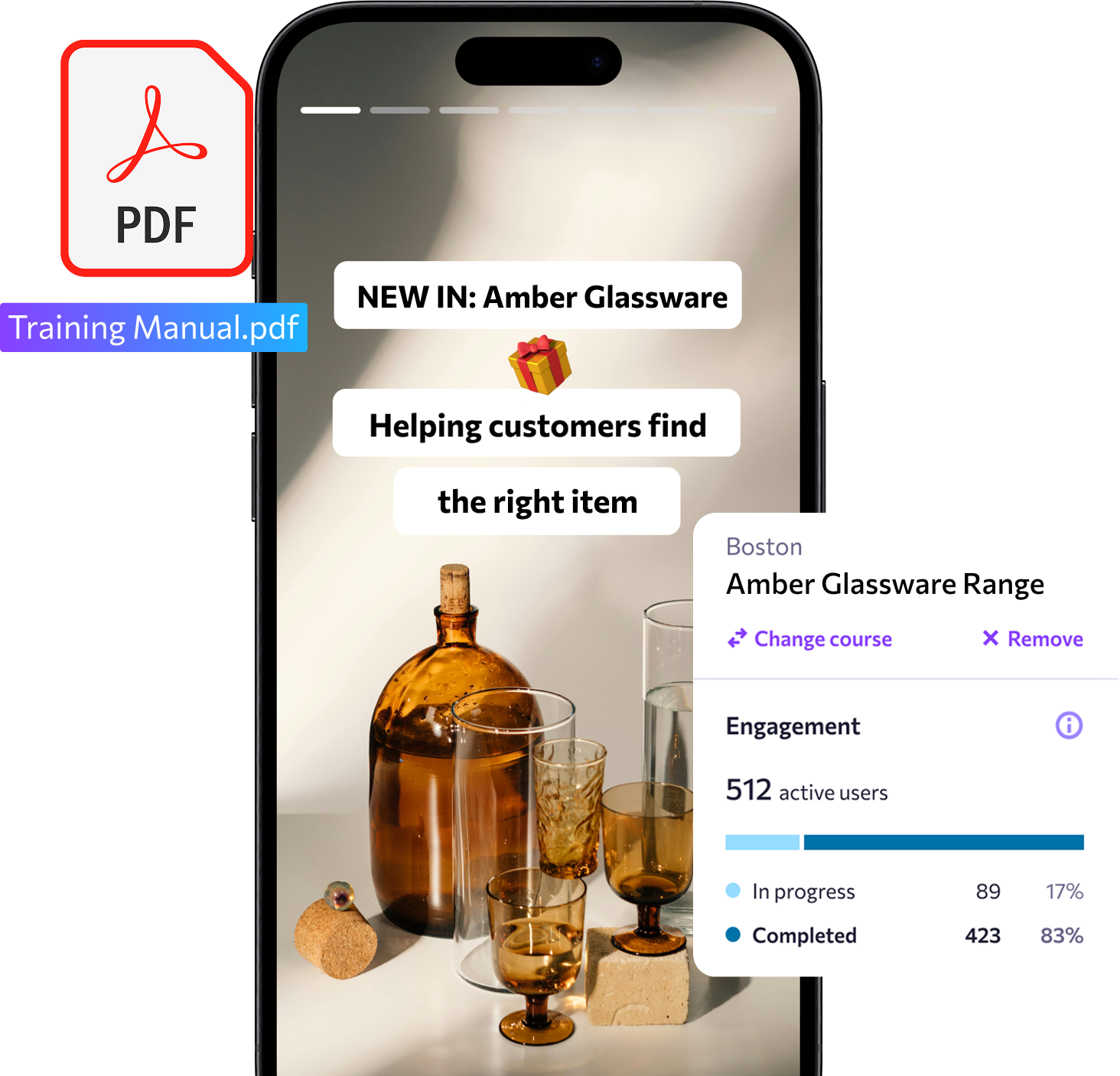
Take a paper-based SOP and digitize it instantly with eduMe's AI-powered SOP Generator tool ✨
SOP Software for Small Businesses at a Glance
| Notion | Waybook | Trainual | eduMe | |
|---|---|---|---|---|
| Best for | Knowledge-worker SMBs with no SOP tooling budget | Desk-based professional services building a first process library | Growing businesses with multiple locations or defined roles | SMBs with frontline or mixed workforces scaling across sites |
| AI creation | AI writing assistant (Business plan only) | Prompt-based | Prompt-based; hundreds of templates | Prompt-based (or from an existing document); conversational editing assistant |
| Document upcycling | Not supported | Not supported | Not supported | Document upload to digital SOP conversion tool |
| Delivery | End user accesses content via shared link; completion tracking not available | Desktop interface | Desktop + mobile app (iOS and Android) | Delivered in the flow of work via third-party integrations (Workday, MS Teams), SMS, WhatsApp, and QR code |
| Starting price | Free (AI on Business plan only; 7-day version history limit) | From $99/mo (20 users) | Contact for pricing (7-day trial) | Free SOP generator tool; full platform pricing on request |
1. Notion
Notion is not an SOP platform in the truest sense of the word. Rather, it is a general-purpose workspace tool - part wiki, part database, part collaborative doc editor - that a large number of small businesses use as a de facto SOP repository for three primary reasons: it's free, familiar, and requires no implementation.
If your team already lives in Notion for project management, documentation, and notes, adding SOPs there is a reasonable additional way to leverage the tool. The free plan supports unlimited pages and blocks, and Notion's official Standard Operating Procedure (SOP) template - available free at notion.com/templates/standard-operating-procedure - gives teams on a budget a structured starting point, without building from scratch.
For teams documenting processes like 'here's how we brief a new client,' 'here's the process for monthly reporting,' or 'here's how to onboard a new contractor,' Notion covers the basics well enough - provided those processes are desk-based and the people accessing them are already working in Notion as part of their daily workflow.
Where it has less to offer: there is no sophisticated page or user-level tracking. Page analytics on Notion reveal only who created the page, who a page was recently viewed by, and when (2 days ago, 3 months ago). A page view in Notion will log simply after a user loads a page URL, rather than correlating to behaviors like time on page, or % of content consumed.
In environments where greater level of verification is required for audit or assurance purposes (e.g. compliance), Notion’s Page Analytics may not carry the necessary depth or breadth of data by individual. Additionally, version history is limited to seven days on the free plan (30 days on Plus). There's also no built-in reinforcement or re-attestation - an admin would have to manually re-share a page to flag it with the relevant team member.
While templates offer a decent shortcut when it comes to creating an SOP library by eliminating the need to design the ‘shell’ the SOP copy/content is to live in, administrators must still fill the template in with content. That is, unless they choose to upgrade to the Business plan ($20/user/month), where they will gain access to Notion’s AI writing assistant that can help draft copy. Notion's core assumption is that the person using it is already in the tool, and can or will navigate to the document when needed. For teams where that holds true, it's a solid zero-cost option.
3 things we think you'll love about Notion
Free and already familiar
No new tool to implement, no seat licenses to buy. If your team is already in Notion, your SOPs can live alongside everything else - zero switching cost.
Flexible structure
Databases, wikis, linked pages - Notion's flexibility means SOPs can be structured to match how your team actually thinks, not a prescribed folder hierarchy.
Free SOP templates
Notion's official marketplace includes free, ready-to-use SOP templates. A useful starting point for teams building their first process library without a budget.
Pros:
- Free plan covers basic SOP storage and access
- No learning curve for teams already using Notion
- Highly flexible content structure
- Free official SOP templates available
Cons:
- No completion tracking or engagement visibility
- Version history limited to 7 days (free) and 30 days (Plus)
- No built-in reinforcement or re-attestation
- AI writing features require Business plan ($20/user/month)
Notion pricing
Free plan available. Plus from $10/user/month (annual). Business from $20/user/month (annual). Full details at notion.com/pricing
2. Waybook
Waybook is a dedicated SOP and playbook platform built for small and growing businesses - typically desk-based teams of 20 to 150 people building their first structured process library. Where Notion is a general-purpose workspace adapted for SOPs, Waybook is purpose-built for them.
Used by 18,000+ companies including medical practices, law firms, real estate agencies, and growing professional service firms, Waybook fits best when the primary audience is desk-based and the main need is getting processes out of people's heads and into a searchable, accountable system.
Its folder-based design is clean and intuitive, with a low setup overhead. AI creation is prompt-based: describe a process - 'here's how we handle a new client intake,' 'here's the process for end-of-month invoicing,' 'here's how to handle a patient cancellation' - and Waybook drafts the SOP.
The 'Ask' feature lets team members find answers in plain language rather than navigating folder structures - a team member can conversationally ask AI to retrieve the specific nugget of information they are after, without searching through long-form SOP documentation. Read receipts and completion verification give operations managers visibility into who has reviewed each SOP.
The platform is built around an assumption that its users are at a screen, with time to navigate a structured knowledge base, and whose work is primarily desk-based and document-oriented.
For teams whose workforce extends beyond that - scaling across multiple sites, or where a meaningful proportion of workers are not at a desk - that operating assumption no longer holds.
3 things we think you'll love about Waybook
Read receipts and completion verification
Know exactly who has reviewed each SOP and when - useful for onboarding sign-off, compliance accountability, and ensuring updates have actually landed.
Plain-language search
The Ask feature lets team members find answers without knowing where to look in the folder structure, reducing the friction of 'where is that process again?'
Clean, low-overhead setup
Waybook is fast to implement. Teams can go from zero to a functional SOP library in days, not weeks.
Pros:
- Purpose-built SOP platform with completion tracking
- Clean interface; low learning curve
- Read receipts and verification add meaningful accountability
- Ask feature reduces friction for end users
- Accessible pricing for smaller teams
Cons:
- Prompt-based AI only; no document upcycling or PDF conversion
- Desktop-focused; no mobile-first delivery
- Media must be added manually after AI generation
- No free plan (7-day trial only)
- Less suited for multi-location or frontline workforce management
Waybook pricing
Core from $99/month (annual, 20 users; additional users $5/month). Pro from $198/month (annual, 20 users; additional users $10/month). Full details at waybook.com/pricing
3. Trainual
Trainual is a documentation, training, and operations platform built for growing businesses managing multiple locations with clearly defined roles, for example - a dental group scaling from three to fifteen practices, or a construction company with crews across several states.
The distinction from Waybook is meaningful in practice. Where Waybook organizes SOPs into folders, Trainual organizes them by role and location - so a shift manager at location two automatically sees how to open the location, a new hire in customer service gets the onboarding process mapped to their first two weeks, and an ops manager can find how each location handles an inventory discrepancy.
AI creation is prompt-based, with hundreds of customizable templates covering common business processes - from ‘how to run a performance review’, to ‘managing a supplier invoice’. The platform includes a built-in screen recorder, mobile app (iOS and Android), HRIS and payroll integrations including Gusto, BambooHR, and Zenefits, and completion tracking with e-signatures on higher tiers. Content verification reminders prompt teams to review and re-attest SOPs on a schedule - directly addressing the reinforcement gap that shared drives cannot.
Trainual supports users in desk-based roles well, and its mobile app extends that to field-based workers - dental staff, field service crews, and construction teams included. Where it has less to offer: the delivery model is app and login-based, meaning workers need to download the app, create credentials, and navigate to the relevant content. For a worker mid-task on a construction site who needs to check a procedure quickly, that friction can be the difference between the SOP being consulted and being skipped.
The content format has limits too. Screen recordings work well for software processes, and external video can be embedded, but Trainual doesn't support native filming of physical, site-specific work. A team that needs to show a concrete pour or a line setup has to shoot it elsewhere and link out.
More broadly, the format is training-first rather than performance-support: workers are expected to complete modules before they're on the job, not pull up a reference when they need one mid-task. That works well for onboarding and role training; it's a harder fit when the point of need is a construction site or a kitchen at lunch service.
One practical note: Trainual does not publish pricing publicly, and a one-time implementation fee of $1,000 applies to all new customers - both worth factoring into total cost calculations, particularly for smaller teams.
3 things we think you'll love about Trainual
Role and location-based content assignment
SOPs automatically reach the right people based on their role, department, or location - no manual distribution required. As teams scale across sites, this becomes a significant operational advantage.
Content verification reminders
Built-in prompts remind content owners to review and update SOPs on a schedule, ensuring documentation doesn't go stale as processes evolve. A useful safeguard for businesses where procedures change regularly.
Hundreds of templates
A comprehensive template library covering common processes across legal, dental, construction, retail, and business services - meaningful time saving for teams building from scratch.
Pros:
- Role and location-based content assignment supports multi-site scaling
- Strong completion tracking, e-signatures, and accountability features
- Hundreds of templates and built-in screen recording
- Mobile app (iOS and Android) for on-the-go access
- Content verification reminders address reinforcement
- HRIS integrations on all plans
Cons:
- Pricing not published; $1,000 one-time implementation fee adds upfront cost
- No document upcycling - existing SOPs must be rebuilt from prompts
- Login-required access; no passwordless delivery
- Content format is document-oriented rather than mobile-first
Trainual pricing
Pricing on request (7-day free trial available). Implementation fee of $1,000 applies. Full details at trainual.com/pricing
4. eduMe
eduMe is a frontline enablement platform built for businesses where a meaningful proportion of the workforce works without a fixed desk - retail, logistics, hospitality, warehousing, manufacturing, and field services.
While the three tools above assume a worker with a screen and time to log in, eduMe is designed around a different operational reality: workers who are task-oriented, often device-constrained, and unlikely to be sitting down when they need information.
SOP creation is flexible: content can be generated from a written prompt, built from scratch in the native authoring tool, or converted from an existing PDF - which AI transforms into a visual, bite-sized module automatically. This is the only tool in this comparison that offers document upcycling, meaning businesses with an existing library of SOPs in PDF form can convert rather than rebuild from scratch.
We can take documents we were using, pop them in there, and generate a course really quickly. We can get a course out quickly to everybody in a matter of minutes.
-
Jason Trail, Training and Development Manager, McCoy's Building Supply
Delivery is where eduMe diverges most sharply from the alternatives. Content reaches workers via SMS, WhatsApp, email, QR code, through third party integrations, like Microsoft Teams and Workday. The end user flow is as follows: tap once, no login, no app download required.
For businesses where workers do not have a company email address, share devices, or cannot be expected to navigate a knowledge base mid-shift, this is not a marginal difference. It is the difference between an SOP that gets used and one that does not. BorgWarner, a global automotive manufacturer, achieved 97% safety training completion across its shop floor - and a corresponding reduction in accident incidence - using this delivery model.
A worker-facing AI chatbot means employees can query the SOP library in plain language mid-task, getting a direct answer without navigating content or interrupting a manager.
For businesses that fit this description, eduMe is a different category of tool - one where the SOP can start as a prompt, a document, or an existing PDF; reach a worker via SMS or QR code before they've set foot on shift; and show them what to do rather than describe it.
3 things we think you'll love about eduMe
PDF upcycling
Upload any existing SOP, policy document, or PDF and AI converts it into a visual, mobile-ready module. No rebuilding from scratch - the most practically useful creation feature for businesses with an existing documentation library.
Passwordless delivery
Content reaches workers via SMS, WhatsApp, or QR code - one tap, immediate access, no login required. The format matches the reality of how workers without a fixed workstation move through their day.
Free AI SOP generator
Build and test the creation experience at no cost at edume.com/free-ai-sop-generator before committing to the full platform.
Pros:
- PDF-to-module upcycling handles existing documentation libraries
- Passwordless delivery via SMS, WhatsApp, QR code - no app or login required
- Mobile-first, visual format suited to workers without a fixed device
- Worker-facing AI chatbot reduces manager dependency for in-the-moment answers
- Workday Platinum Partner - provisioning, delivery, and reporting integrate natively
- Free AI SOP generator available at no cost
Cons:
- Full platform pricing not published; requires a demo conversation
- Not designed for format-critical or long-form documentation
- No screen capture for documenting digital workflows
eduMe pricing
Free AI SOP generator at edume.com/free-ai-sop-generator. Full platform: edume.com/try-for-free
Which SOP software is right for your small business?
If your team already works in Notion and has no budget for a dedicated tool, starting there is reasonable. The free SOP template gives you a structured foundation at zero cost. The honest limitation is that it is a filing system, not an accountability system - useful as a starting point, not a long-term solution for growing teams.
If your business is desk-based and you are building your first proper process library - a clinic, a law firm, an agency, a real estate team - Waybook offers the most accessible entry point into purpose-built SOP software. Clean, simple, and genuinely useful for teams of 20-150 who need read receipts and accountability without enterprise complexity.
If you are scaling across locations with defined roles and structured onboarding is as important as process documentation, Trainual is the stronger fit. Role-based content assignment and content verification reminders give it operational depth that Waybook does not offer. Factor in the implementation fee when comparing total costs.
If your workforce includes people who work without a fixed desk - on a shop floor, in a warehouse, across service locations - the tools above will manage your desk-based SOPs well. eduMe handles the rest: document creation, delivery to workers who cannot be expected to log into a knowledge base, and verification that they can actually execute what the SOP describes.
Sound like your team? See for yourself.
Try the free AI SOP generator → Upload any existing SOP or process document and our AI converts it into a visual, mobile-ready module in minutes.
Explore the product → Take a self-guided tour of select features and experience eduMe the way your end users would.
Book a demo → Prefer something more guided? Walk through the full platform with someone from the team.
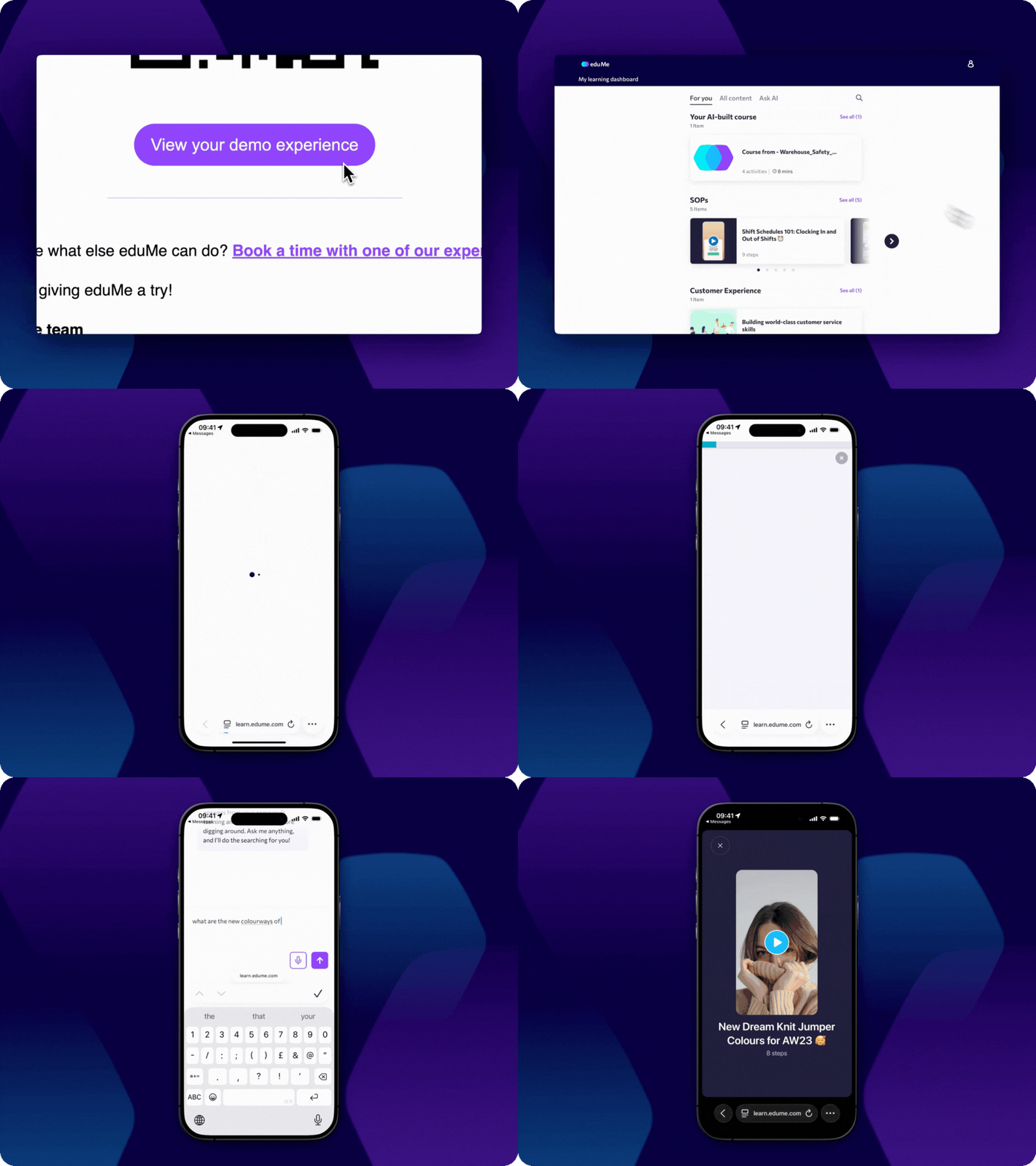
Experience eduMe in <60 seconds
No credit card required. No software to install. Just a hands-on preview of how frontline teams learn with eduMe.
Join 10,000+ frontline leaders
Subscribe to ‘Training the Frontline’ and get weekly insights sent straight to your inbox.